ninjatrader 8

DayTradeToWin Review

NinjaTrader 8 Fix: Computer Clock Sync & Repair

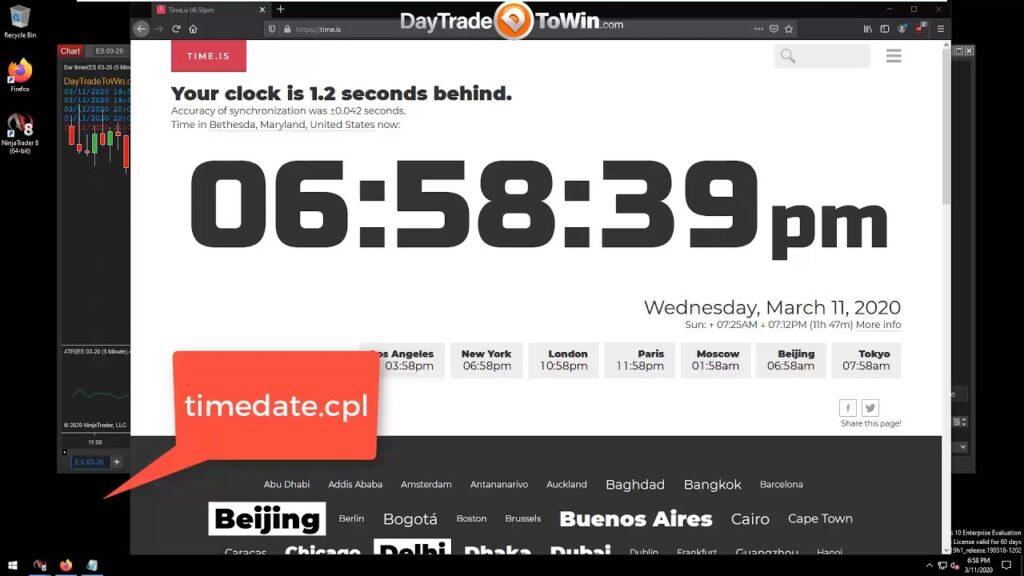
If you’re a Windows user who happens to day trade using the NinjaTrader 8 trading platform, you should be aware that maintaining an accurate computer clock is really important. In fact, the indicators that you may be relying on could be less accurate due to an inaccurate Windows computer clock/time. Would you like to check right now to see if your computer clock is off? Visit https://time.is and you’ll see how bad it is. You see, a computer’s time will drift because the computer relies on a motherboard battery to maintain time when the computer is powered off. Normally, the Windows operating system should maintain accuracy, but that’s really not the case. Windows tends to allow for many seconds or minutes of inaccuracy to build over time. Therefore, it is up to you, the user/trader, to manually keep your computer clock accurate. Yes, that means another computer maintenance task for you to do! However, you only need to do this once every two weeks. You could probably set something like this up using the Windows Task Scheduler, but why trust that when Windows fails to maintain accurate time in the first place? I don’t know about you, but I like to do things manually if automatic things fail me. So, in the following steps, you’ll learn how to go about creating a Desktop shortcut that you can use once every two weeks or so to put your computer time back on track. Right-click your Windows Desktop and select the option to create a new shortcut. For the destination/target, type in timedate.cpl. Continue to the next step and specify an arbitrary name, like Time Sync. Complete the steps and you’ll see a shortcut on your desktop. Double-click the shortcut you just created. Go to the Internet Time tab. Click Change settings. Click Update now. Upon any failure, switch to the other time server and try updating again. Repeat until you see a success message. Close out the time windows and wait five minutes. Verify your computer clock is accurate by visiting https://time.is. Start NinjaTrader and feel more confident that you’re trading with an accurate computer clock. Repeat every two weeks or as often as necessary. John PaulJohn Paul is the founder of DayTradeToWin, a trading education and software company established in 2008, supporting traders worldwide. His expertise focuses on price action-based futures trading strategies and structured market analysis. DayTradeToWin delivers trading education, indicators, and software tools designed to help traders apply disciplined, rule-based decision-making across global futures markets. He is the creator of multiple trading methodologies, including the Sonic System, Atlas Line, and Trade Scalper, which help traders identify structured opportunities in markets such as the E-mini S&P 500 (ES), Nasdaq (NQ), crude oil (CL), and gold (GC). Official website: https://daytradetowin.com daytradetowin.com
DayTradeToWin Review

NinjaTrader 8 Video Instruction Guide for Beginners

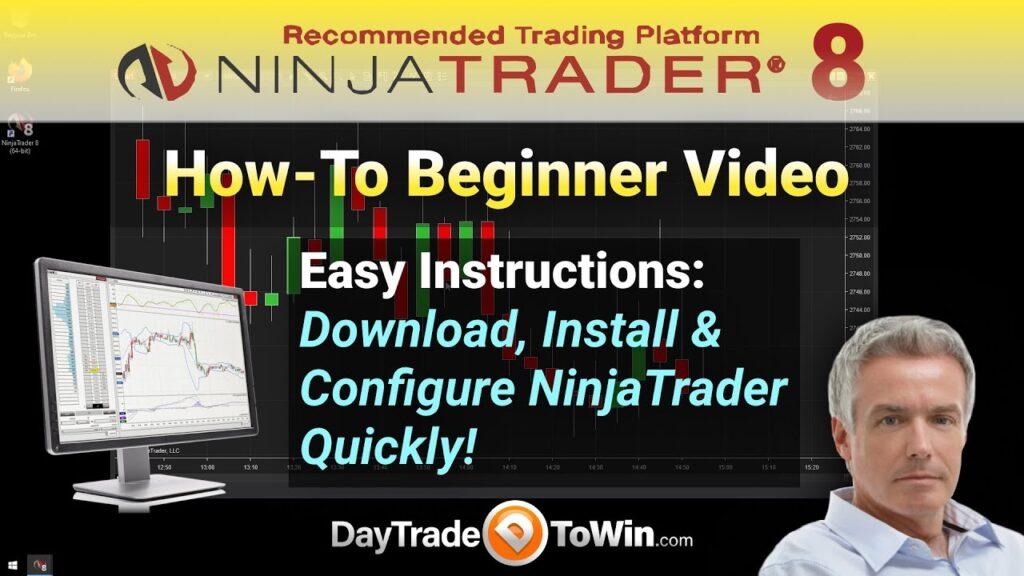
Learning how to day trade isn’t easy. The first thing you have to learn is how to operate the trading software that you’ll use to place trades. For that, we use software called NinjaTrader. We use the eighth (8) version, which is the latest and greatest. You can download it on the NinjaTrader website and sign up for a special written guide here. The video below will walk you through all the basic steps, from installation to placing your first (simulated) trade. When you first download NinjaTrader, you’ll get a traditional setup executable program. Proceed with the default installation steps unless you want to make a few customizations. Next, you’ll notice there are two icons on your Windows Desktop: NinjaTrader 32-bit and NinjaTrader 64-bit. You’ll probably want to use the 64-bit version unless you have a really old computer. The 64-bit version takes advantage of additional computer resources available on more modern computers. Feel free to delete the 32-bit NinjaTrader icon if the 64-bit version works for you. Once NinjaTrader loads up for the first time, you’ll see a screen that asks for connection information. Essentially, it’s asking you to plug in a data feed. A data feed is how you get live market (price) data into NinjaTrader. NinjaTrader does not come with live data by default, so you must use another source, such as a free live data feed or a data feed from a broker account that you set up (which probably won’t be the case for a while). Later in the video, you’ll see how to set up a free live data feed. This free data feed will allow you to practice futures trading. This is about as close as you can get to practicing with real money. NinjaTrader gives you a ton of “play” or “simulated” money to work with. You use the internal, practice Sim101 account to place your simulated trades. After a while, you can see how you’re doing in terms of profit and loss by generating a report. That’s covered toward the end of the video. One of the main focuses is opening a chart and navigating charts. You need to be able to see and understand the visual representation of price data over time. That’s what a chart is. The candles represent price activity, or price action, over a period of time. There are many ways to express or understand price data and movement – yes, many types of charts exist. In the beginning, you’ll probably want to use a 5-Minute chart type. It’s the long-standing chart type that has been used at DayTradeToWin. Much more could be said. Really, you’re better off watching the video. It’s a great update to a NinjaTrader 8 training video that DayTradeToWin produced a couple of years ago. Good trading! John PaulJohn Paul is the founder of DayTradeToWin, a trading education and software company established in 2008, supporting traders worldwide. His expertise focuses on price action-based futures trading strategies and structured market analysis. DayTradeToWin delivers trading education, indicators, and software tools designed to help traders apply disciplined, rule-based decision-making across global futures markets. He is the creator of multiple trading methodologies, including the Sonic System, Atlas Line, and Trade Scalper, which help traders identify structured opportunities in markets such as the E-mini S&P 500 (ES), Nasdaq (NQ), crude oil (CL), and gold (GC). Official website: https://daytradetowin.com daytradetowin.com
Scroll to Top