Futures Trading Execution Guide: How to Use the Price Ladder to Enter and Exit Trades Properly
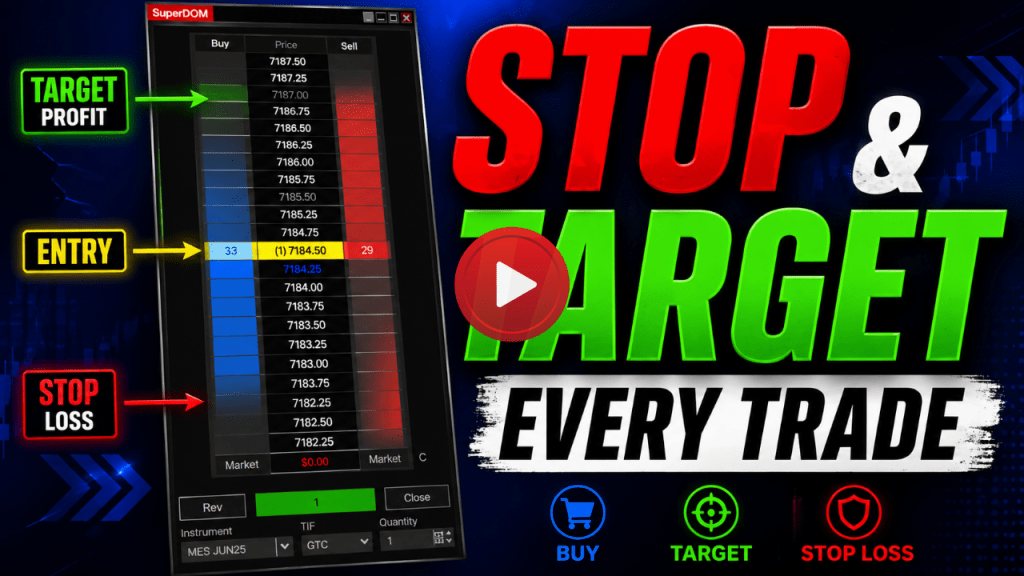
Most traders believe success comes from finding the perfect entry. In reality, success comes from how you execute the trade after entering. Without a defined structure—specifically a stop loss and a profit target—trading becomes inconsistent and unpredictable. In this guide, we’ll walk through how to execute trades properly using the price ladder (SuperDOM) and how to manage positions with discipline in the futures market. 📊 What Is Price Ladder Trading? Trading Mentorship by daytradetowin gives traders everything needed, including live 1-1 training, software and direct access to trading education. Most traders need the right coaching to help understand how to day trade stocks and futures. Price ladder trading, also known as the Depth of Market (DOM), is an execution tool that allows traders to interact directly with live pricing. Using the price ladder, you can: This approach is widely used in futures markets such as the E-mini S&P 500 (ES), Micro E-mini (MES), and other instruments. ⚠️ Step 1: Confirm Market and Account Before Trading Before entering any trade, verify: Many execution errors occur simply from trading the wrong instrument or account. 🟢 Step 2: Understanding Trade Direction (Buy vs Sell) The price ladder is divided into two primary actions: Key concept: ⚡ Step 3: Order Types Explained Market Orders Limit Orders 👉 Limit orders are often preferred for precision. Stop Orders 🧠 Step 4: Trade Structure and Risk Control Every position must include: This is known as completing the trade cycle. Without this structure: 👉 Structured trades improve consistency. 🔴 Step 5: Placing Protective Stops and Targets For a long position: For a short position: Key Principle: 👉 Both must be established as part of the trade plan. ⚙️ Step 6: Automating Trade Management Modern trading platforms allow automation of trade management. Using tools like advanced trade management (ATM), traders can: This helps enforce discipline in fast-moving markets. 📉 Step 7: Common Trade Execution Errors Typical mistakes include: 👉 These errors lead to inconsistent results. 🧠 Final Thoughts Profitable trading is not built on prediction. It is built on: 👉 Every trade should be planned with a clear structure: Defined entry + defined exit = controlled execution Trader FAQ 🧾 ABOUT DAYTRADETOWIN DayTradeToWin is a professional trading education company specializing in structured, rule-based trading strategies for futures markets. With over a decade of experience, our approach emphasizes confirmation, disciplined execution, and risk management through tools such as the Sonic System, Trade Scalper, Atlas Line, and AutoPilot. ⚠️ DISCLAIMER Trading futures involves substantial risk and is not suitable for all investors. This material is provided for educational purposes only and should not be considered financial or investment advice. John PaulJohn Paul is the founder of DayTradeToWin, a trading education and software company established in 2008, supporting traders worldwide. His expertise focuses on price action-based futures trading strategies and structured market analysis. DayTradeToWin delivers trading education, indicators, and software tools designed to help traders apply disciplined, rule-based decision-making across global futures markets. He is the creator of multiple trading methodologies, including the Sonic System, Atlas Line, and Trade Scalper, which help traders identify structured opportunities in markets such as the E-mini S&P 500 (ES), Nasdaq (NQ), crude oil (CL), and gold (GC). Official website: https://daytradetowin.com daytradetowin.com